Sell from the picture
Live prices, sale badges, stock and variants in every card. Add one product or the whole look to the cart in one click.

PrestaShop module · v1.8.1
Moonivo Image Map adds hotspots to your images. Visitors click a product in the photo and get its card with the live price, variants and add to cart — without leaving the page.
One shop licence · sold through PrestaShop Addons · PrestaShop 1.7 – 9.1
Live prices, sale badges, stock and variants in every card. Add one product or the whole look to the cart in one click.
Switch between Kitchen, Bedroom and Living room photos with tabs, buttons, arrows or dots — each with its own products.
Clicks, cart conversions and a real click heatmap. GA4 and Meta Pixel events through the tags you already use.
No layout shift, mobile-ready, keyboard and screen-reader friendly. No overrides, multistore and multilingual.
Features
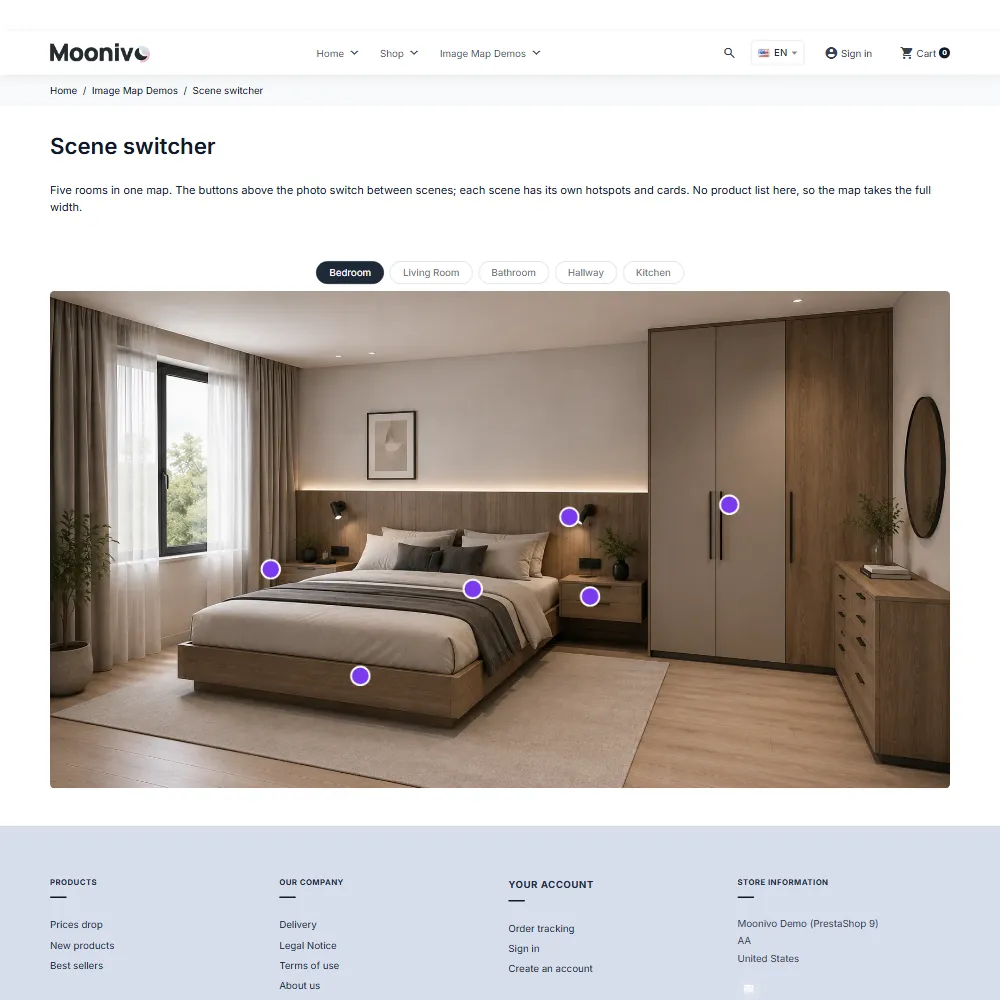
Scenes
Put several photos in one map and let visitors switch with tabs, buttons, arrows or dots — above, below or over the image. The product list, filters and analytics follow the room on screen.
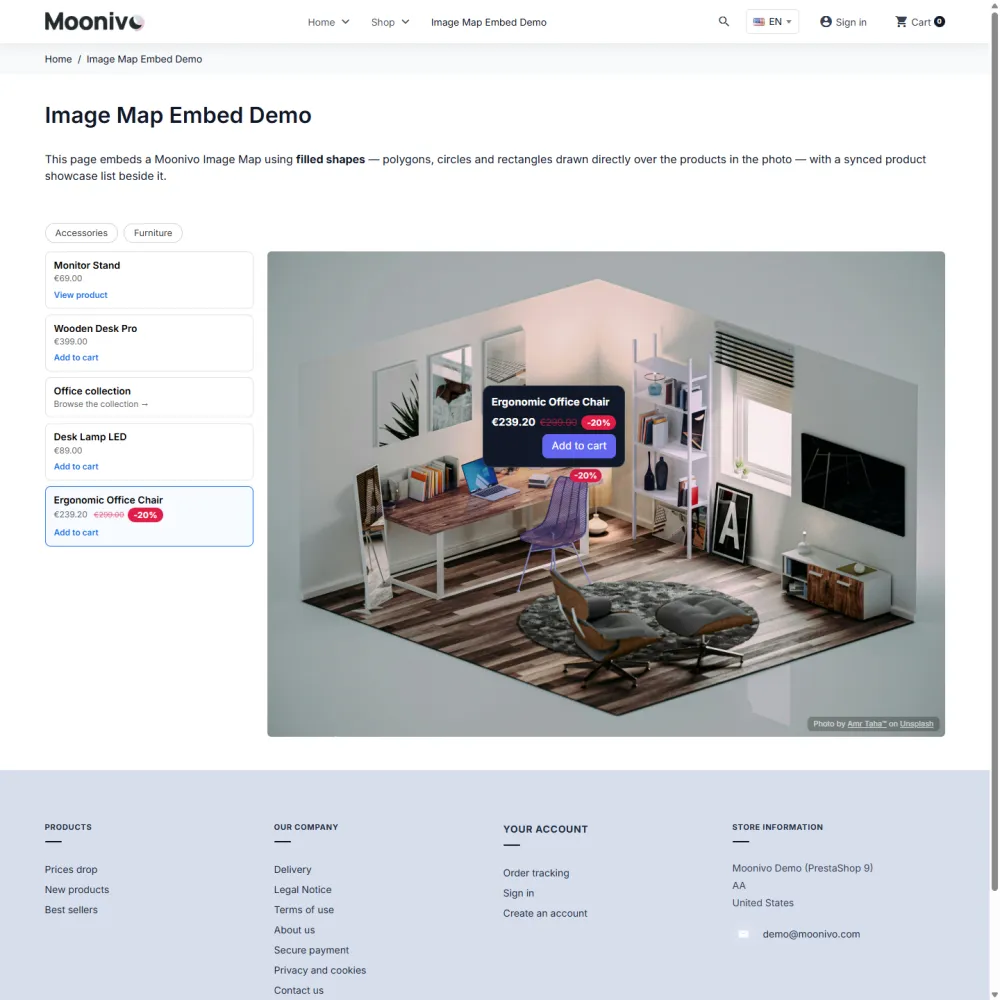
Product list and filters
A synced product list sits beside the image: hover an item and its hotspot lights up. Filter chips show just the chairs, just the lamps — in every language.
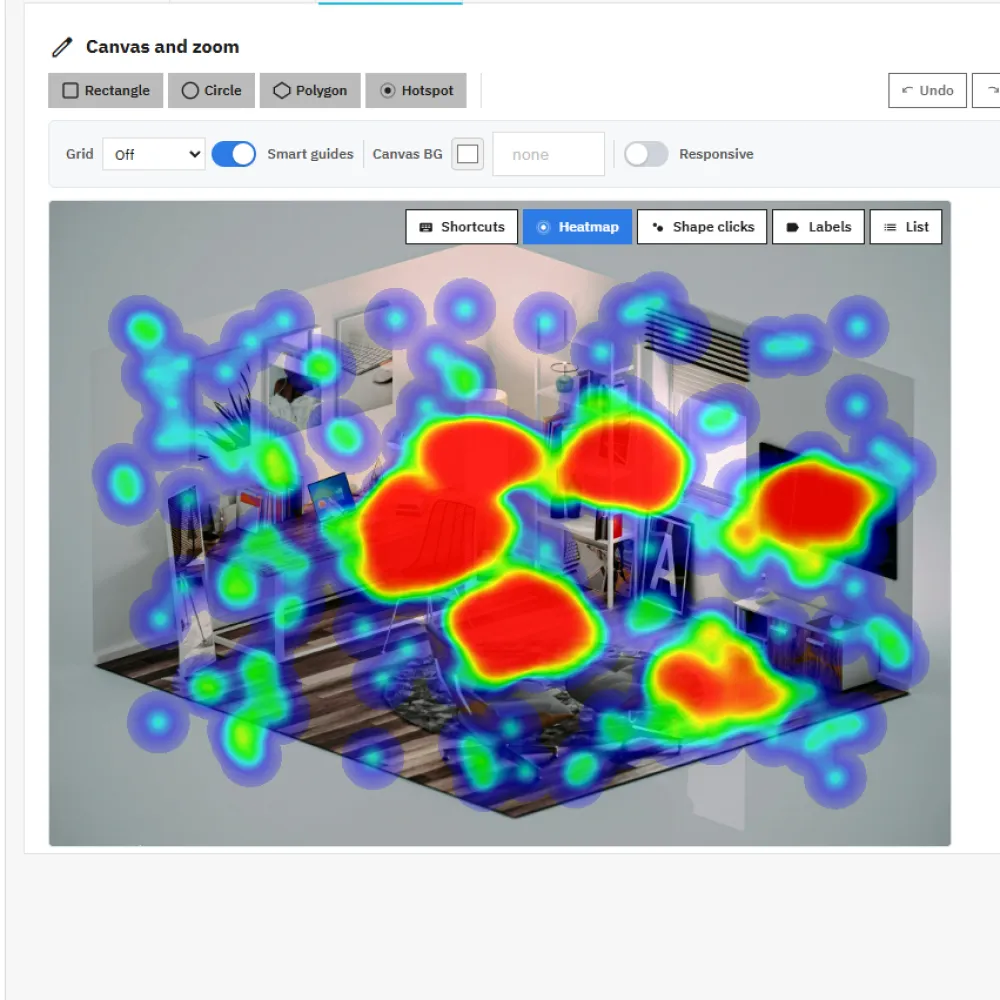
Analytics
See clicks and add-to-cart conversions per hotspot, and a heatmap of real clicks — including where visitors expected something clickable. Run A/B tests between two maps.
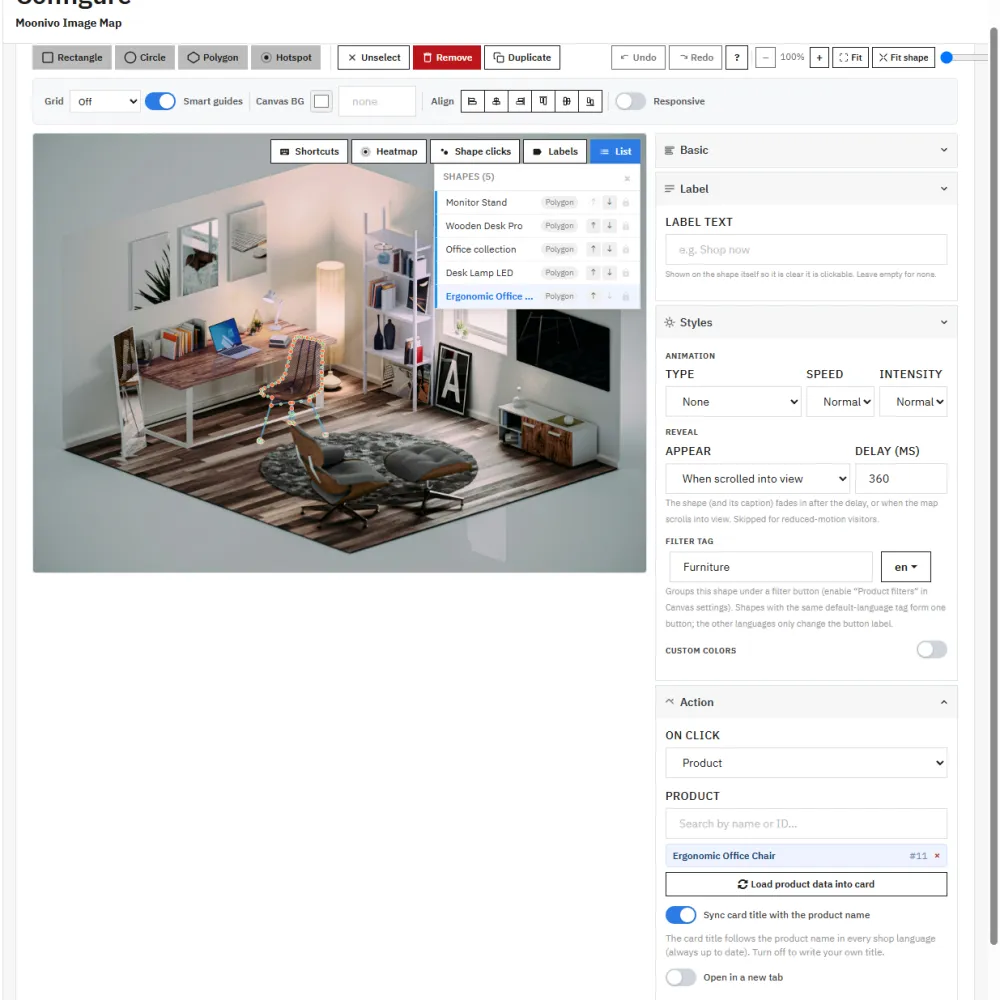
Editor
Rectangles, circles, polygons with rounded corners and curves, or pulsing hotspots. Search a product, load its data into the card and preview in your own theme at three screen sizes.
Made for
Room sets where every chair, lamp and rug is one click from the cart.
See how it works for furniture stores →Outfits that sell the whole look, with sizes and colours in the card.
Seasonal banners that switch on and off by date, tested against each other.
Size charts, floor plans and product anatomy with a card for each part.
How it works
Create a project and drop your image.
Mark each product with a dot or a shape.
Search your catalogue; the card fills itself.
Pick the home page or paste one line anywhere.
Step by step in the quick start guide.
FAQ
PrestaShop 1.7.0 to 9.1, on PHP 7.1 or newer. The module installs no overrides, so it does not change PrestaShop's core files.
Yes. The map is placed through standard hooks or a one-line embed and uses PrestaShop's own cart, so the theme's cart counter and pop-up work as usual. Try it in the live demo first, or ask before buying.
A licence for one shop, sold through PrestaShop Addons on its terms. New versions are published there and you download them from your Addons account.
Right after payment, from your PrestaShop Addons account, under My downloads.
Yes. Cards, titles and filters have a field per language, links open the page in the visitor's language, and each shop of a multistore has its own maps.
Through the module’s contact form on PrestaShop Addons, so your request stays with your order. The documentation covers setup, every feature and common problems.



€97.99 on PrestaShop Addons · one shop licence